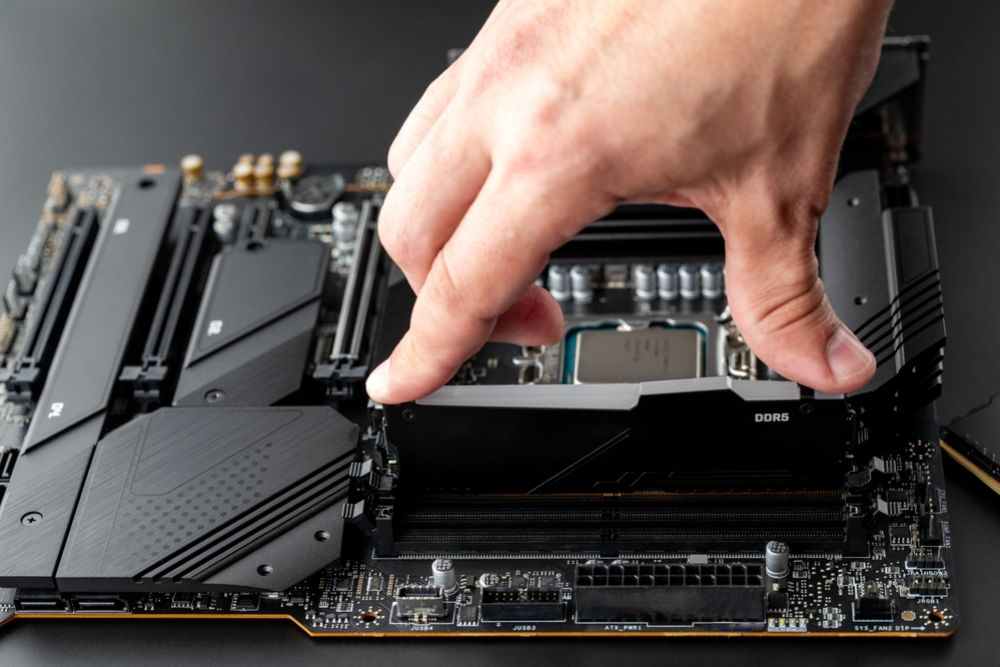
Upgrading your computer’s RAM is one of the easiest and most cost-effective ways to improve performance. Whether you use your computer for work, school, gaming, or creative projects, adding more memory can make your system feel faster, more responsive, and more capable of handling multiple tasks at once. But RAM prices can vary widely, and it’s easy to overpay if you don’t know what to look for. Fortunately, there are simple ways to find affordable RAM upgrades that fit your computer and deliver meaningful performance improvements without stretching your budget.
Before you shop, it’s important to understand how RAM works and what kind of upgrade makes sense for your needs. Not all systems require high-end memory, and not all workloads demand large amounts of RAM. By matching your upgrade to your usage and exploring smart buying strategies, you can save money and still get excellent results.
Understand How Much RAM You Really Need
The quickest way to overspend on RAM is to buy more than your system requires. Many people assume that more memory automatically means more speed, but that isn’t always true. The goal is to find the right amount for your usage.
For basic tasks like browsing, email, streaming, and office work, 8 to 16 GB is usually enough. Gamers often benefit from 16 GB, while creative professionals—especially those working with video editing, 3D modeling, or heavy multitasking—may need 32 GB or more.
If your computer slows down when many browser tabs are open, or if applications give “low memory” warnings, upgrading RAM will make a noticeable difference. But if your computer is slow to start up, frequently freezes, or has trouble opening large programs, insufficient RAM might not be the main issue. In that case, upgrading storage or optimizing your system may be more cost-effective. Knowing exactly what you need keeps you from overspending.
Check Compatibility to Avoid Wasted Purchases
A major reason people overspend on RAM is buying modules that are incompatible with their system. Unlike accessories that fit universally, RAM comes in different generations and sizes. Not every module will work in every motherboard or laptop.
Desktops typically use full-size DIMM sticks, while laptops use smaller SODIMM modules. Your motherboard will only support certain RAM types—such as DDR3, DDR4, or DDR5—and these types are not interchangeable. Capacity also matters; some older systems cannot handle more than a certain amount of memory.
Before upgrading, check:
-
The type of RAM your system supports
-
The maximum capacity your device can handle
-
The number of available slots
-
Whether existing RAM sticks can be matched or replaced
A quick compatibility check prevents wasted money and ensures your upgrade is smooth and effective.
Shop Smart by Choosing Mid-Range Instead of High-End RAM
Premium RAM with ultra-fast speeds, RGB lighting, and large heatsinks often costs significantly more than standard modules. While these features appeal to enthusiasts, many everyday users will not notice performance differences between a mid-range module and a premium one.
Mid-range RAM provides:
-
Reliable performance
-
Good speed for most tasks
-
Stable operation
-
More affordable pricing
Instead of focusing on the highest speed or fanciest design, look for RAM with solid reviews, dependable build quality, and a speed supported by your motherboard. This simple shift can save you a considerable amount without sacrificing performance.
Compare Prices Across Multiple Sellers
RAM prices can vary, sometimes dramatically, between retailers. Before purchasing, compare prices from several trusted sellers. Look at online marketplaces, tech stores, and electronics shops that offer deals or seasonal promotions. Prices often drop during large sale events, end-of-year clearances, and new product launch cycles.
Most importantly, avoid buying impulsively. Taking even a few extra minutes to compare prices can help you find a much better deal, especially if you’re upgrading with two sticks or a higher-capacity kit. RAM discounts come and go frequently, so monitoring prices over a few days—or even weeks—can pay off.
Consider Lightly Used or Refurbished RAM to Save More
RAM is one of the safest computer components to buy used. Unlike storage drives, which wear down over time, RAM generally maintains its performance unless it was used under extreme conditions. Many people sell RAM simply because they upgraded their system or switched to a new platform.
Buying used or refurbished memory can save you a significant amount, especially for larger capacities. Just be sure to check that the module is clean, undamaged, and compatible with your system. If possible, buy from sellers who offer returns or guarantees. A well-maintained used RAM stick performs just as well as a new one but costs far less.
Don’t Mix RAM With Different Speeds or Specifications
Although it’s tempting to add a cheap RAM stick alongside your old one, mismatched RAM can lead to slower overall performance, system instability, or failure to boot. RAM modules should ideally be the same type, speed, size, and brand for the best results.
Matching RAM sticks ensures they run in dual-channel mode, which improves speed and efficiency. If your current RAM is old or slow, consider replacing it entirely rather than mixing and hoping for compatibility. While replacing everything might seem more expensive upfront, it prevents long-term issues and ensures a stable, fast computing experience.
Avoid Paying for Features You Don’t Need
Many RAM kits include features designed for enthusiasts, such as RGB lighting, oversized heatsinks, or extreme overclocking profiles. While these may look appealing, they don’t impact everyday performance for most users. If your goal is affordability and reliability, stick to standard modules without aesthetic extras.
Focus on what actually improves performance:
-
Sufficient capacity
-
Compatible speed
-
Stable operation
-
Trusted brands with good warranties
By skipping unnecessary features, you can save more and still get excellent memory modules.
Time Your Purchase to Seasonal Pricing Drops
RAM prices fluctuate based on supply, demand, and manufacturing cycles. Buying at the wrong time can force you to pay a premium, while buying during a low-demand period can save you significantly.
Common times when RAM prices drop include:
-
Back-to-school season
-
Holiday and year-end sales
-
New technology announcements
-
Clearance events when new generations of RAM are released
If you’re not in a rush, waiting for one of these periods can bring noticeable savings.
Know When Not to Upgrade
While RAM upgrades help with multitasking and performance, they won’t fix every problem. If your computer struggles due to an outdated processor, slow hard drive, or overheating issues, adding more memory won’t magically solve those problems.
Before upgrading, make sure RAM is truly the bottleneck. If your memory usage regularly reaches its limit, then an upgrade is worth the investment. If not, you might be better off upgrading storage or cleaning up your system instead of spending money unnecessarily.
Finding affordable RAM upgrades doesn’t have to be complicated. With a bit of research and smart decision-making, you can get high-quality memory modules that improve your computer’s speed and responsiveness without overspending. Focus on compatibility, real-world performance, and practical features rather than marketing hype or expensive extras.
By choosing the right amount of RAM, buying at the right time, comparing prices, and avoiding unnecessary features, you get the best value for your money. Upgrading your RAM is one of the most rewarding improvements you can make to your computer — and with these strategies, it’s also one of the most affordable.